New FeatureTemplatesAI Tools
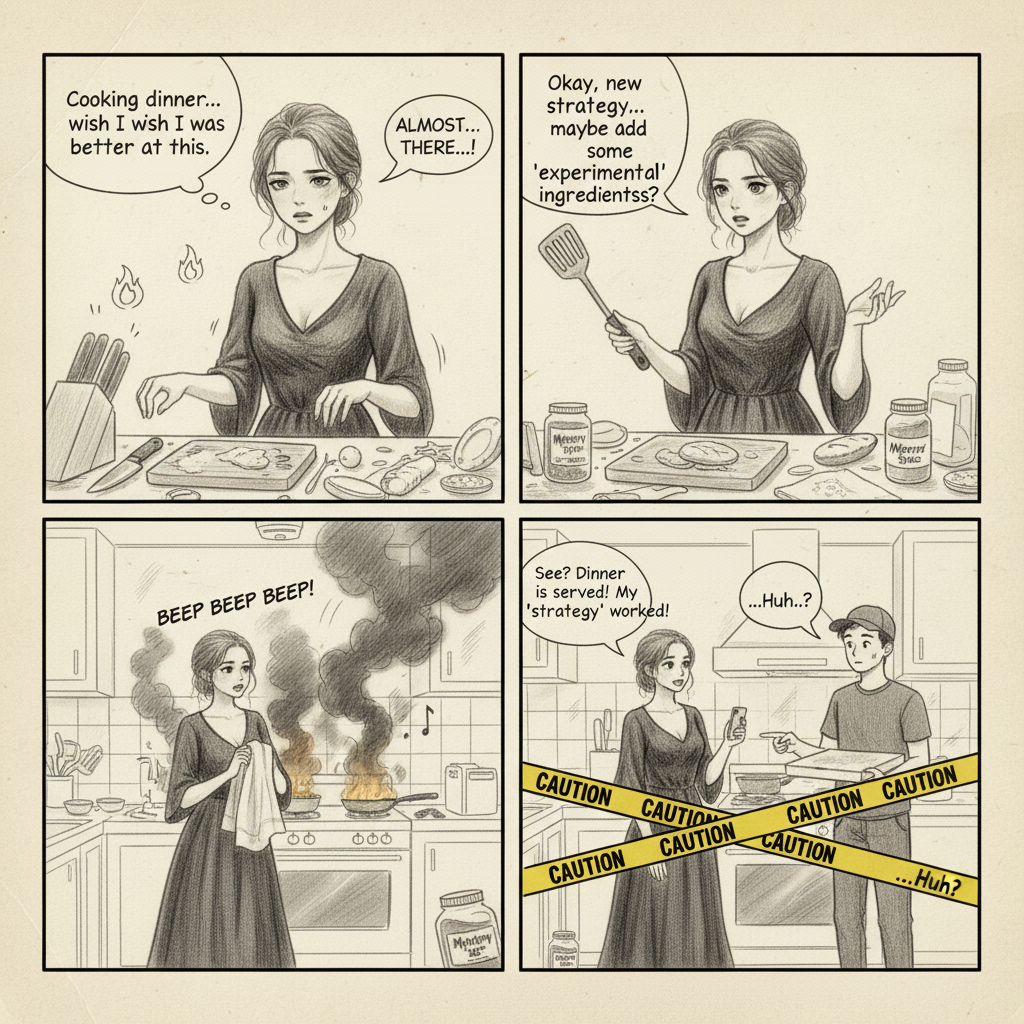
🆕 Three new styles: 4‑Panel Comic, Pixel Art, Meme Generator
2025-11-07 • snapedit team • 1 min read
✨ What’s new
We’ve added three easy-to-use styles to the Templates Hub. Each card has a before/after preview with a slider so you can see the effect at a glance.
- 🗯️ 4‑Panel Comic — One click turns your idea (and optional photo) into a clear 2×2 comic with a setup, build, and a funny twist.
- 🎮 Pixel Art — Turn photos into retro, blocky pixel art with punchy colors.
- 😂 Meme Generator — Add bold captions and expressive tweaks for share‑ready memes.
🚀 How to use
- Open the Templates page at /template.
- Drag the slider on a card to preview the effect.
- Click "Use Template" to open the tool.
- Upload a photo (optional for the comic) and enter a short prompt.
- Hit Generate — download when it’s ready.
🔎 Quick links
- 🗯️ 4‑Panel Comic: /comic-four
- 🎮 Pixel Art: /pixel-style
- 😂 Meme Generator: /meme-generator
💡 Tips for better results
- Keep prompts short and clear.
- For the comic, describe the setup → build → twist in one or two sentences.
- Use high‑quality, well‑lit photos if you upload an image.
Have ideas for more styles? Tap the Feedback button on the top bar — we’d love to hear from you!


.png)