Nano Banana for Beginners: How to Write Your First Prompt
2025-10-19 • snapedit team • 4 min read
New to Nano Banana? No worries. This guide will show you exactly how to write prompts that actually work—no tech jargon, just simple steps and copy-ready examples.
What is a "prompt"?
A prompt is just a sentence that tells Nano Banana what image you want. Think of it like ordering food: the clearer you are, the better the result.
Bad prompt: "cat"
Good prompt: "A fluffy orange cat sitting on a windowsill"
See the difference? The second one tells the AI exactly what to draw.
The 5-Part Formula (Easy Mode)
Every good Nano Banana prompt has these parts. You don't need all of them, but the more you add, the better your image will look.
1. What + Where (Required)
Tell the AI what the main subject is and where it is.
Examples:
- A fluffy cat reading a book in a library
- A tabby cat chef cooking in a kitchen
- A white cat astronaut on the moon
2. Style (Optional but Recommended)
Choose how you want it to look. Pick just ONE to start.
Common styles:
- photorealistic = looks like a real photo
- cinematic = looks like a movie scene
- minimalist illustration = simple, clean cartoon style
- watercolor = soft, painted look
Example: Photorealistic fluffy cat reading a book in a library
3. Lighting (Makes It Look Professional)
Add one lighting word to make your image pop.
Easy lighting words:
- soft light = gentle, no harsh shadows
- golden hour = warm sunset glow
- studio light = clean, professional
- neon light = colorful, glowing
Example: Photorealistic fluffy cat reading a book in a library, soft light
4. Mood/Colors (Sets the Feeling)
Pick colors or a mood to control the vibe.
Mood words:
- cozy, dreamy, playful, mysterious, peaceful
Color words:
- pastel colors, vibrant, warm tones, cool tones
Example: Photorealistic fluffy cat reading a book in a library, soft light, cozy, warm tones
5. Extra Details (Optional)
Add small details to make it more interesting.
Detail words:
- wearing glasses, holding a cup, surrounded by plants, on a wooden table
Example: Photorealistic fluffy cat reading a book in a library, soft light, cozy, warm tones, wearing tiny glasses
10 Copy-Ready Prompts for Beginners
Just copy these and click generate. Then try changing one or two words to make them your own!
1. Simple Portrait
Photorealistic fluffy cat on a white background, studio light, centered
2. Cozy Scene
A tabby cat reading by a window, soft light, cozy, warm tones
3. Adventure
A white cat astronaut on the moon, cinematic, dramatic lighting
4. Food Scene
An orange cat chef cooking pasta, studio light, vibrant colors, action shot
5. Cute Illustration
Minimalist illustration of a cute cat with a backpack, pastel colors, friendly
6. Nature
A small cat exploring a forest, golden hour light, dreamy, green tones
7. Urban Night
A black cat walking in a rainy street, neon lights, cinematic, moody
8. Workspace
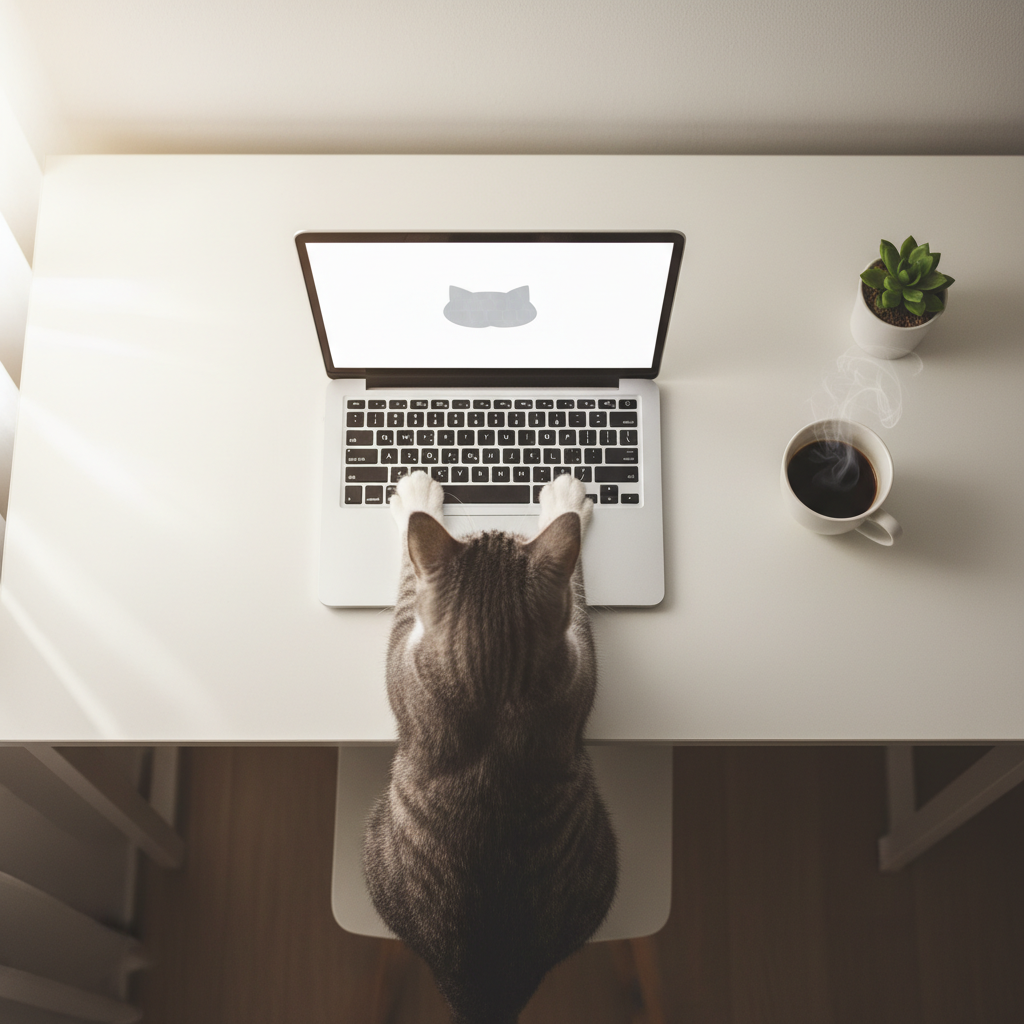
A gray cat working on a laptop, soft light, clean desk, top-down view
9. Relaxing
A fluffy cat meditating on a yoga mat, peaceful, soft pastel colors
10. Party Time
A playful cat DJ with headphones, colorful lights, energetic, vibrant
Common Beginner Mistakes (and How to Fix Them)
❌ Too vague: "cat doing stuff"
✅ Be specific: "A fluffy cat chef cooking in a kitchen"
❌ Too many styles: "photorealistic cinematic watercolor minimalist cat"
✅ Pick one: "Photorealistic fluffy cat chef cooking"
❌ No context: "cat"
✅ Add where: "A fluffy cat on a wooden table"
❌ Complicated words: "A cat in a post-apocalyptic neo-futuristic landscape"
✅ Keep it simple: "A cat in a desert, dramatic sunset"
Quick Start Checklist
Before you hit "Generate", ask yourself:
- [ ] Did I say what the cat is doing?
- [ ] Did I say where it is?
- [ ] Did I pick one style?
- [ ] Did I add lighting or mood?
- [ ] Is my prompt one simple sentence?
If you answered yes to at least the first 3, you're ready to go!
What to Do After You Generate
Got an image you like? Here's how to make it even better:
- Remove Background → Makes it clean for posters or social media
- Upscale → Makes it sharper and higher quality
- Try small changes → Change just the lighting or mood word and generate again
Your Turn!
Start with this super simple template and fill in the blanks:
[style] cat [doing what] in/on [where], [lighting], [mood]
Example:
Photorealistic fluffy cat reading in a library, soft light, cozy
Now go to the Nano Banana page, paste it in, and hit generate. That's it—you just created your first AI image!
Have questions or want to share what you made? Click the "💬 Feedback" button at the top of any page and let us know.